
Microsoft SharePoint
Enterprise intranet, document management, collaboration and content services integrated with Microsoft 365.
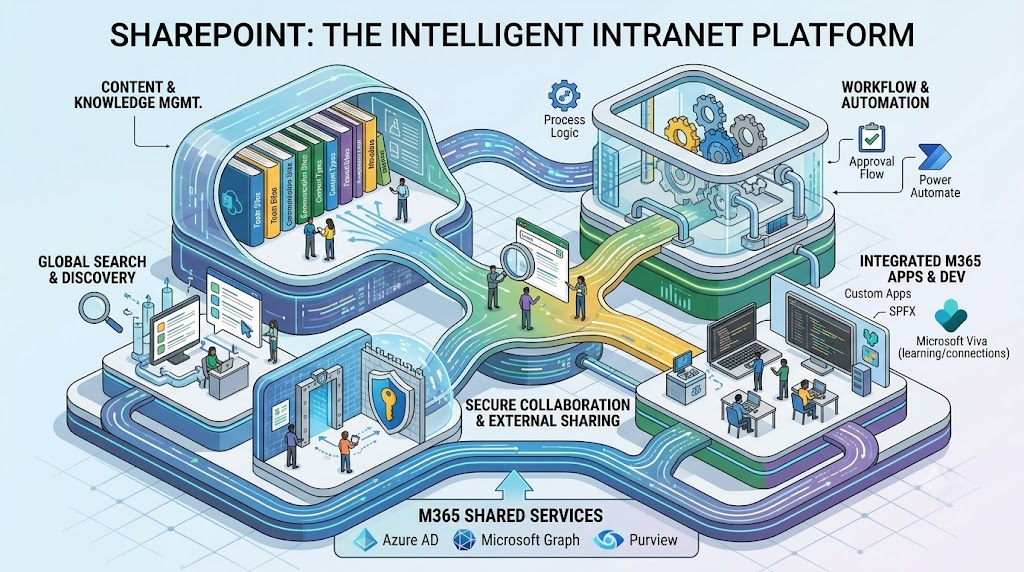
Technical Overview
Microsoft SharePoint is the content and intranet platform in Microsoft 365, providing team sites, communication sites, document management and the storage layer behind Teams and OneDrive.
It is organised into hub sites, site collections, document libraries, lists, pages and workflows, with permissions managed through Microsoft Entra ID groups.
How Microsoft SharePoint works
A five-step technical flow.
Technical architecture
Operating flow of Microsoft SharePoint from onboarding to outcome.
- 01PlanDefine information architecture, hubs and ownership.
- 02StructureCreate sites, libraries, metadata and navigation.
- 03SecureApply groups, sharing limits and sensitivity labels.
- 04AutomateAdd Power Automate flows and forms.
- 05GovernLifecycle, retention and usage reporting.
Plan → Structure → Secure → Automate → Govern
Core Capabilities
SharePoint offers document libraries with versioning and co-authoring, metadata and content types, search, modern intranet pages and web parts, Power Automate flows, Power Apps forms, sharing controls, sensitivity labels and retention, and the SharePoint Framework (SPFx) for custom development.
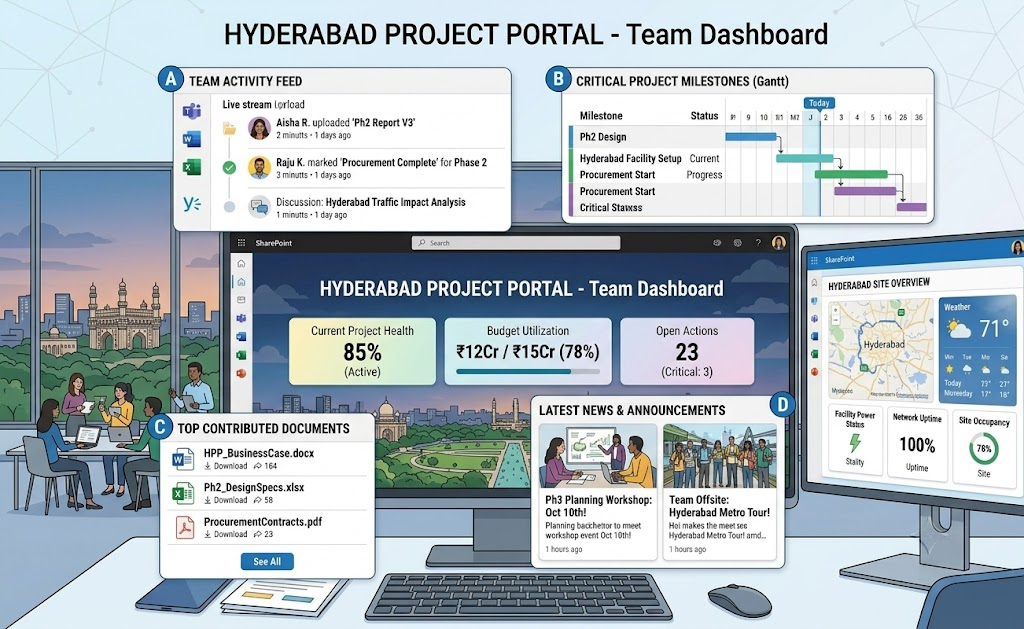
Integrations
SharePoint integrates with Microsoft Teams, OneDrive, Power Platform, Microsoft Purview, Microsoft Entra ID, Microsoft Search and Copilot. Content can be migrated from file servers and other platforms using the SharePoint Migration Tool or Migration Manager.
Key benefits
Main outcomes you can expect.
- 01Central ContentOne governed home for documents and intranet.
- 02CollaborationCo-authoring and Teams integration.
- 03Secure SharingPermissions and labels protect content.
- 04Process AutomationFlows replace manual approvals.
Implementation Approach
We map existing content and permissions, design the site and hub architecture and metadata model, then migrate in batches with validation. Security, sharing and labels are configured, workflows are built, and admins and users receive documentation and training.
Operational & Security Considerations
Avoid uncontrolled sharing and broken permission inheritance. Set site lifecycle and ownership rules, monitor storage quotas, restrict external sharing by default, and test migrations for path length, file type and permission issues before cutover.
How ISS Technologies Helps
ISS Technologies assesses your environment, implements and integrates Microsoft SharePoint, and supports your team in day-to-day operations. Related service: Microsoft 365.